The Job Pricing Toolkit. Stop guessing the bid that actually pays.
Most contractors price by intuition, and the dollar left at the end of the job feels like profit — before it has covered the rent, the insurance, the trucks, or the owner's draw. Two free downloads — the Pricing Decision Guide and the Excel simulator — that put the math behind every quote.
"The dollar left at the end of the job isn't profit yet."
A quick take from Joe on the difference between margin and markup — and why pricing off your gut quietly funds losses you won't see until quarter close. The toolkit on this page puts the real math behind every bid.
A guide to set your price. A simulator to test it.
Two artifacts, built to work together. Use the guide to understand the margin-vs-markup framework and set your target. Use the Excel simulator to price a single job, build a multi-line estimate, and stress-test the bid before you send it.
- Pricing Decision Guide — margin vs markup, your margin target, the walk-away floor
- Excel Simulator — single-job calc, multi-line estimate, sensitivity table
- Free. No upsell. Same math as the online Job Pricing Simulator.
Pricing Decision Guide
The whole framework on paper: why margin and markup are different numbers, how to set your margin target from your real overhead, and where your walk-away floor sits on every bid.
- The margin-vs-markup trap, with the math
- Setting your margin target (overhead + income)
- The required price and the walk-away floor
- The pricing traps that quietly fund losses
Job Pricing Simulator (Excel)
A live workbook that mirrors the online simulator and goes further — price a single job, build a multi-line estimate, and run a full sensitivity table to see how the bid holds up under overruns.
- Single Job Calc — required price + walk-away floor
- Multi-Line Estimate — price a full scope by line
- Sensitivity Table — bid vs. cost overruns
- Methodology tabs — cited, examples, sources
Four numbers stand between cost and a price that pays.
Markup is what you add on top of cost. Margin is what you keep. They're calculated differently — and the gap between them is what most contractors give away. Here's the chain the toolkit walks you through.
Markup ≠ margin.
Mark a $10,000 cost up 30% and you bid $13,000 — but that's only a 23% margin. Target a 30% margin and you bid $14,286. Same cost, $1,286 left on the table.
Your margin target.
Overhead % + income target % = the gross margin every job has to clear. It's two numbers from your business, not an industry rule of thumb.
The required price.
Direct cost ÷ (1 − margin target). This is the bid that pays for everything — materials, burdened labor, subs, overhead, and your income.
The walk-away price.
The price where gross margin equals your overhead rate — the job covers overhead with zero profit. Below it, you lose money on overhead alone.
The guide sets the target. The simulator prices the job.
Total the real direct cost
Add up materials, burdened labor (wages plus payroll taxes, comp, and benefits), and subs. This is the true cost of the job before a dollar of overhead or profit is added.
Set your margin target
Use the guide to pull your overhead % and income target % from your own books, not a guess. Together they're the gross margin every job has to clear to be worth doing.
Read the price and the floor
Drop the numbers into the simulator. It returns the required price, your markup number, and the walk-away floor. Bid above the required price — never below the floor.
The episode this toolkit was built for.
Joe walks through the margin-vs-markup trap on the Behind the Books podcast — why pricing off your gut quietly funds losses, and how to find the bid that actually pays for everything. The toolkit on this page is the system from the episode.
Watch on YouTube →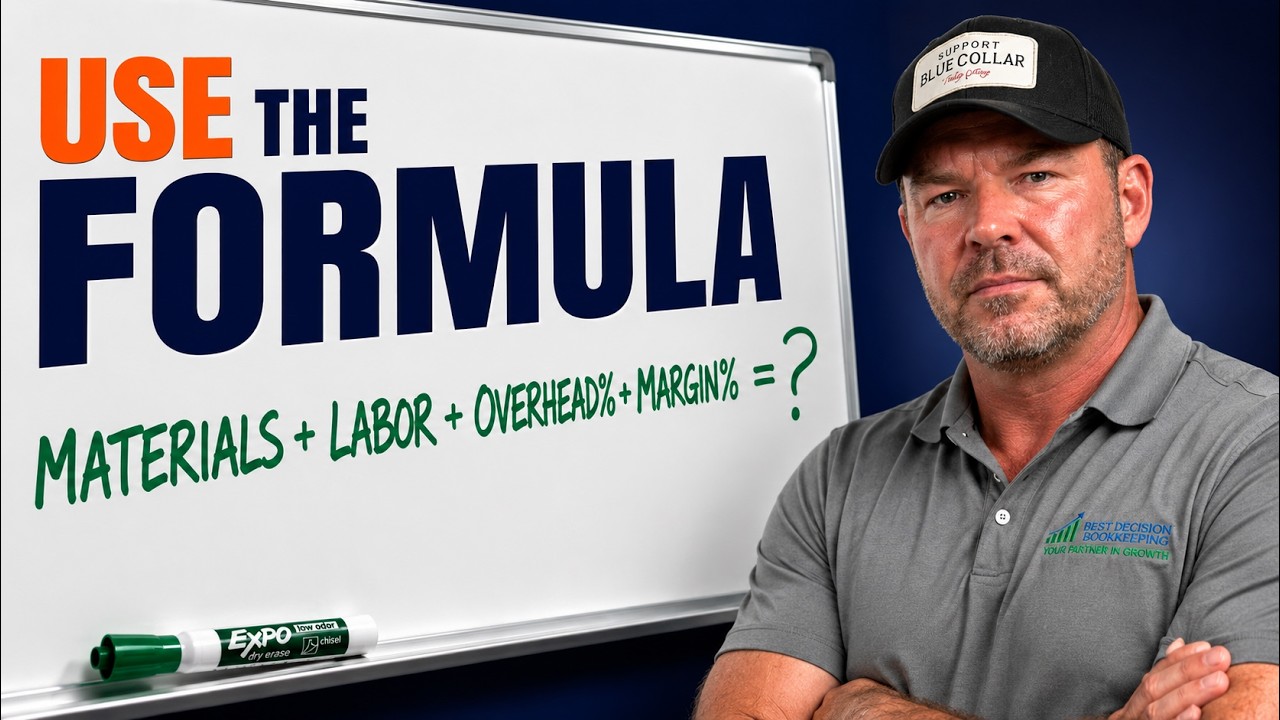
Built to pair with the Job Pricing Simulator.
The online simulator prices the job in front of you in two minutes — drag the sliders, see your required price and walk-away floor. This toolkit gives you the guide behind the math and the Excel workbook to run estimates offline. Same framework, designed to be used together.
Open the Job Pricing SimulatorPair it with these.
Job Cost Tracking Toolkit
Price the job here — then track what it actually made with the 30-job tracker and the 30/35/45 zones.
Get the toolkit →Profit First Bank Flow
The five-account setup — percentages, triggers, transfers — so the margin you priced for actually lands.
Download →Financial Health Checklist
The 12-point owner checklist we walk through with every new client.
Download →If you're still pricing off your gut, we can fix that.
Best Decision Bookkeeping builds the overhead and margin numbers that make your bids real — for contractors and trade businesses. 30-minute call. No pitch. We'll walk your books and tell you what your pricing is missing.