Are you paying tax on money that wasn't income?
Most "phantom income" tax bills trace back to four bookkeeping mistakes that nobody notices until April. This guide walks through each one with the QuickBooks click-by-click — built for the person doing the data entry, written so the owner reads the first two pages and knows exactly what to ask.
"A $38,000 tax bill on $150,000 of money you never actually earned."
A quick take from Joe on the four data-entry mistakes that turn ordinary deposits into "income" in QuickBooks — and how a 10-minute checkout of the books catches them before the return is filed.
Four mistakes. Four QuickBooks fixes. One free PDF.
A 10-minute read for the owner, a click-by-click reference for the data-entry person. Each mistake gets a "test yourself today" check at the end so you can confirm the fix actually landed.
- Mistake 1 — Income counted twice (the Undeposited Funds bug)
- Mistake 2 — Loan money recorded as income
- Mistake 3 — Owner's own money recorded as income
- Mistake 4 — Sales tax treated as income
- Free. No upsell. PDF lands in your inbox.
Income counted twice
The Undeposited Funds bug. A payment gets recorded once when the invoice is paid and a second time when the bank feed matches the same deposit. The guide shows the exact click sequence that prevents it.
Loan money recorded as income
You draw $40,000 on a line of credit and it hits the account. If the data-entry person codes it to income, the books just told the government you earned it. A loan is a liability. The guide shows the right account setup.
Owner's money recorded as income
Moving personal savings into the business on a slow week is normal. Coding that deposit to income means paying tax a second time on money you already earned. The guide shows the owner's-contribution account and how to use it.
Sales tax treated as income
Sales tax you collect from a customer isn't yours — you're holding it for the state. The guide covers when contractors actually owe sales tax in the first place, plus the QuickBooks setup that keeps it out of revenue.
Built for the person in QuickBooks every day.
Most BTB resources are written for the owner. This one is different — it's the page-by-page training you hand to whoever's doing the categorizing. The owner reads the first two pages; the data-entry person reads the rest.
Know what's happening.
Read the first two pages and you'll know whether your books are doing any of the four things, and exactly which questions to ask. No accounting background required.
Click-through reference.
What to click in QuickBooks, in what order, for each of the four transaction types. Office managers, part-time bookkeepers, or the owner if you're still wearing that hat.
"Test yourself today" checks.
A short verification at the end of each section so the fix doesn't just live on paper. You'll know the books are clean before the return goes anywhere near the CPA.
The sales-tax reserve account.
Mistake 4 ends with a banking move that solves the problem at the root — keeping sales tax out of operating cash entirely so it physically can't be spent. The guide walks through how to set up a dedicated tax-reserve account so the money is segregated the day it's collected.
We bank with Relay because it lets you split your money into separate accounts the way Profit First teaches — operating, profit, owner pay, taxes — without wire fees or account minimums. The dedicated tax account is what keeps the sales tax money from ever looking spendable.
Open a Relay account →The Relay link above is an affiliate link. Best Decision Bookkeeping receives a small payment if you sign up. We use Relay ourselves and would recommend it either way.
Download. Read. Fix it in QuickBooks today.
Get the PDF in your inbox
Name and email — the link emails to you, the download starts on the thank-you page. Forward the file to whoever does your QuickBooks data entry.
Two pages for the owner
The first two pages are the owner's view — the four mistakes in plain English, with the tax cost of each. The rest of the guide is the click-by-click reference for the person in QuickBooks.
Apply the QuickBooks setup
Each mistake has the account type to use, the click sequence in QuickBooks Online, and a "test yourself today" verification so you know the fix actually landed before the next month closes.
The episode this guide was built for.
Joe walks the four mistakes on the Behind the Books podcast — the $38,000 tax bill that started the episode, why the Undeposited Funds bug shows up in 1 in 3 sets of contractor books, and the QuickBooks settings that catch each one.
Watch on YouTube →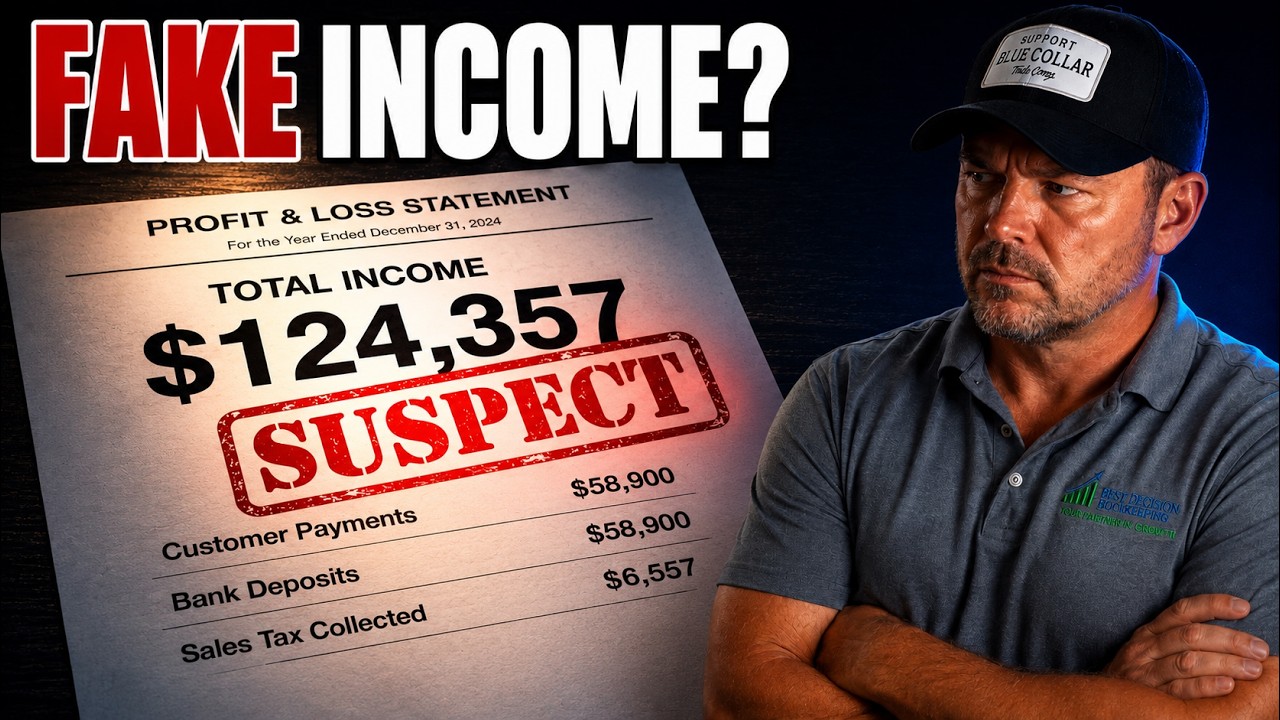
Already curious about your books?
The Bookkeeper Scorecard is a 10-question audit that tells you, in two minutes, whether the four mistakes in this guide are quietly happening in your books — and what to do about it if they are.
Open the Bookkeeper Scorecard →Pair it with these.
Bookkeeper Toolkit
The full set — interview questions, monthly review checklist, and the scorecard companion sheet.
Get the toolkit →Cash Flow Stress Test Toolkit
Excel workbook that runs your business through three scenarios plus a one-page survival checklist.
Get the toolkit →Job Cost Tracking Toolkit
Stop guessing what each job actually made. The system we run with every contractor client.
Get the toolkit →Let's check them with you. 30 minutes. No pitch.
Best Decision Bookkeeping runs the same four-point check on every set of books we look at. We'll walk through your QuickBooks live, flag anything that looks like phantom income, and tell you what it would take to clean it up.