Your crew tracks time and receipts.
Your books should too.
Best Decision Project Tools is a suite of eight browser-based tools that feed timesheets, job costs, and receipts straight into your bookkeeping — no app store, no installs, no double entry.
Your field data never reaches your books.
Time tracked on paper
Crews log hours on paper or a separate app. By the time it reaches your books, it's late, rounded, or missing entirely.
Receipts in a shoebox
Job materials get bought, receipts get lost, and your bookkeeper categorizes them weeks later without knowing which job they belong to.
No real-time job costs
You finish a job and wait 30-45 days to find out if it was profitable. By then you've already bid the next three jobs the same way.
Built backward from your books.
Every tool feeds data directly into your QuickBooks Online account. Your crew uses their phone browser — no app store, no installs, no training manuals. Tap any screenshot to see it full size.
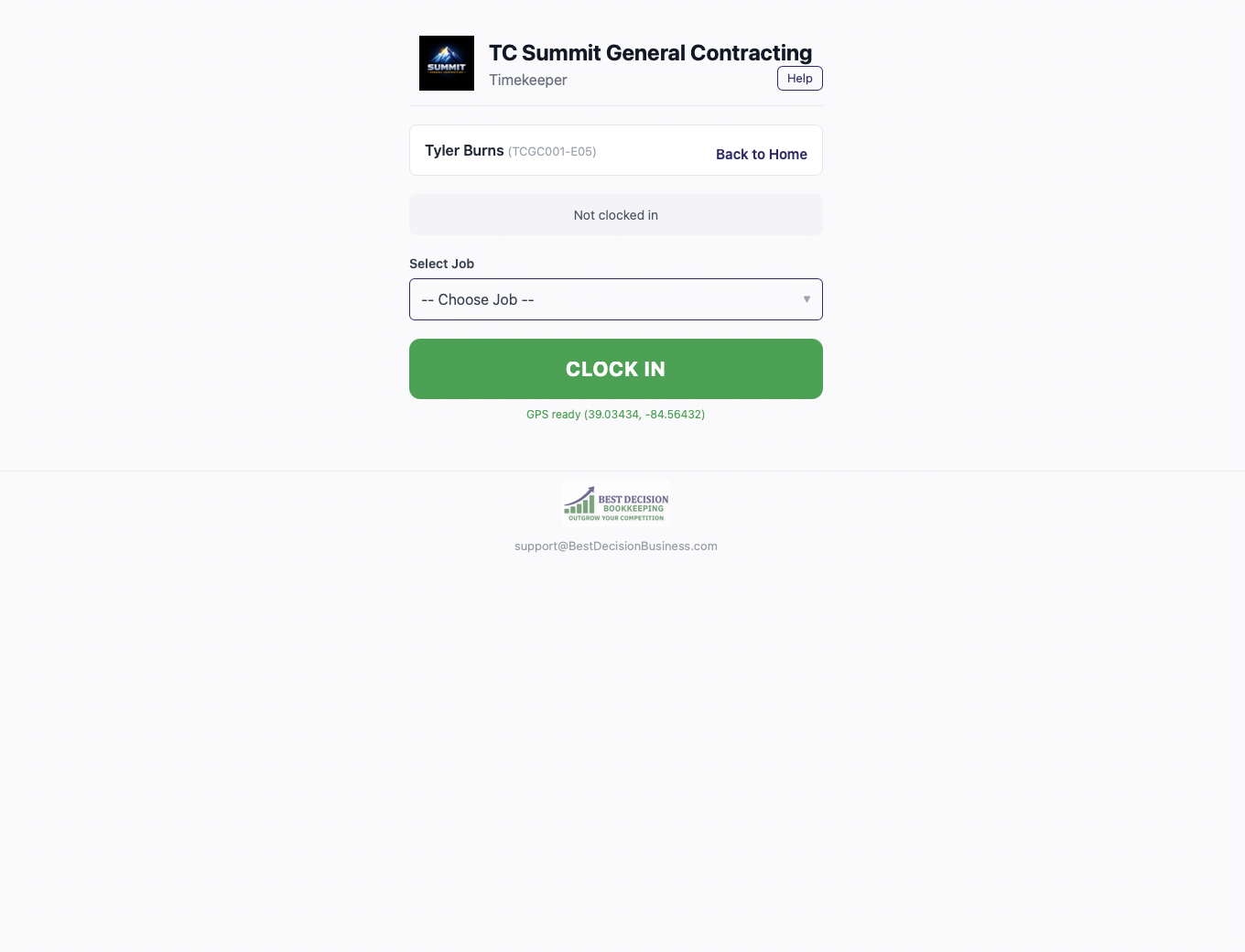
Timekeeper
GPS clock in/out, job-level labor tracking, payroll-ready exports. Your crew's hours flow into your books automatically.
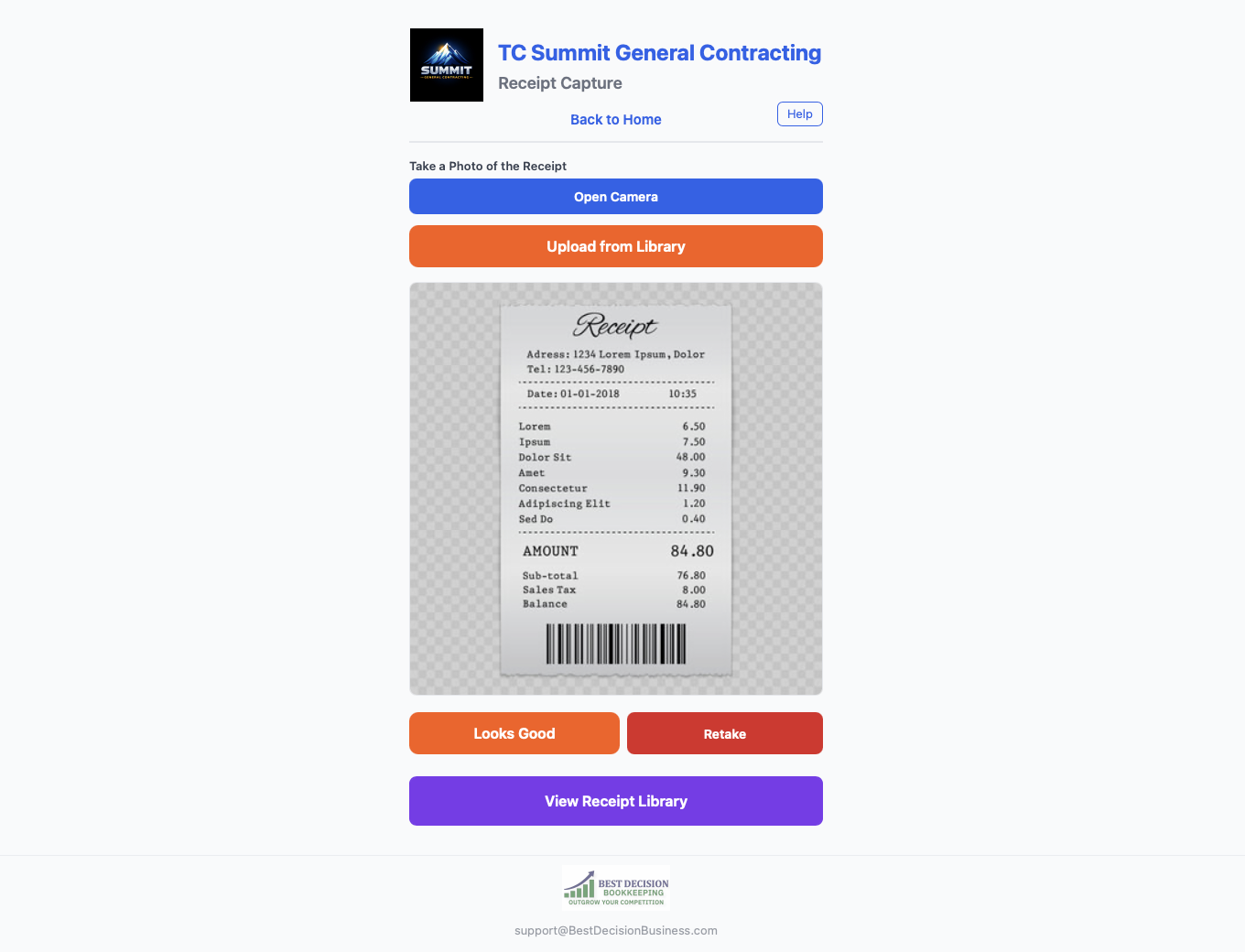
Receipt Capture
Snap a photo. AI categorizes the expense and assigns it to a job. Syncs to QuickBooks. No more shoeboxes.
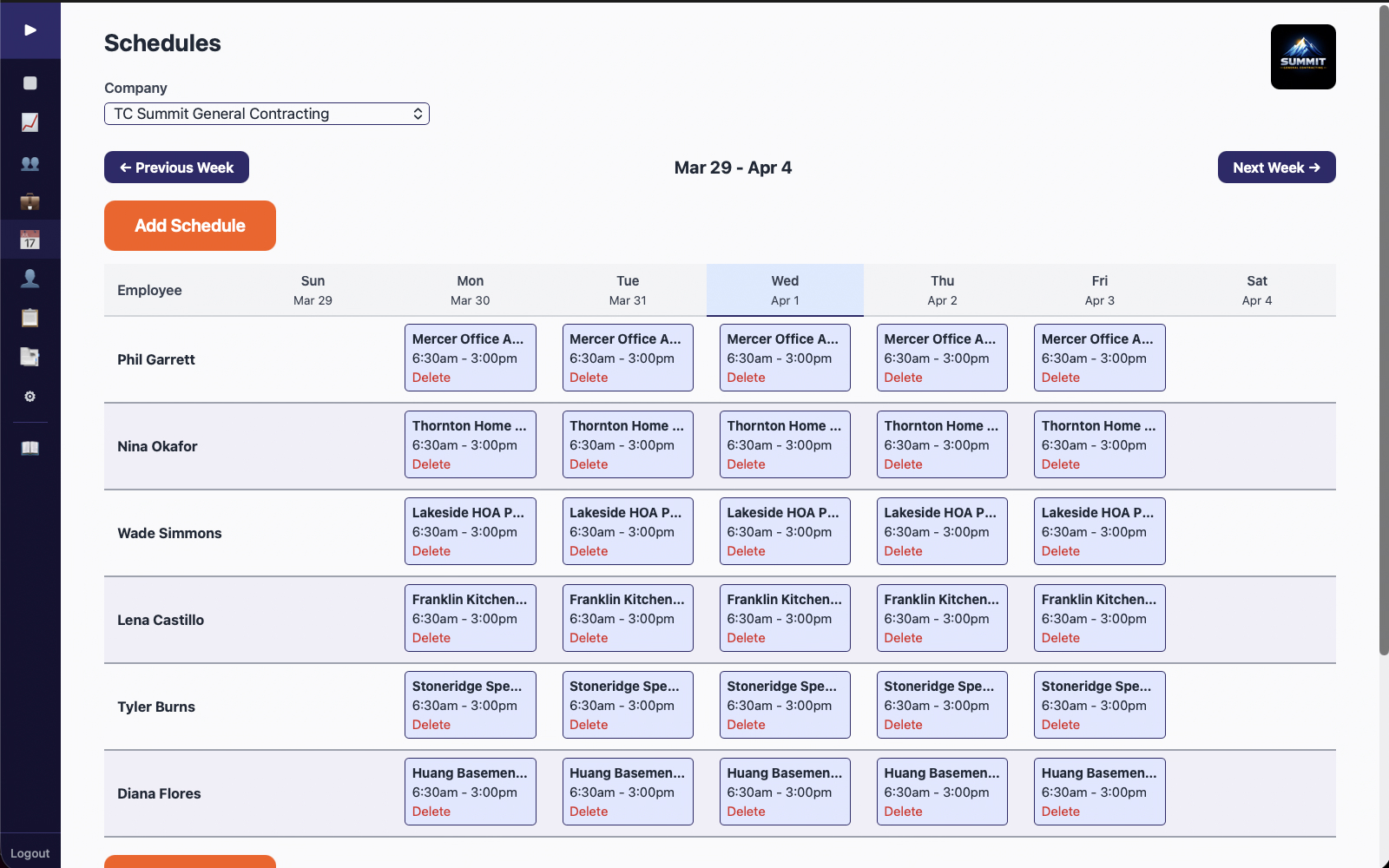
Scheduler
Drag-and-drop recurring jobs, auto crew scheduling, push notifications. Everyone knows where they're going tomorrow.
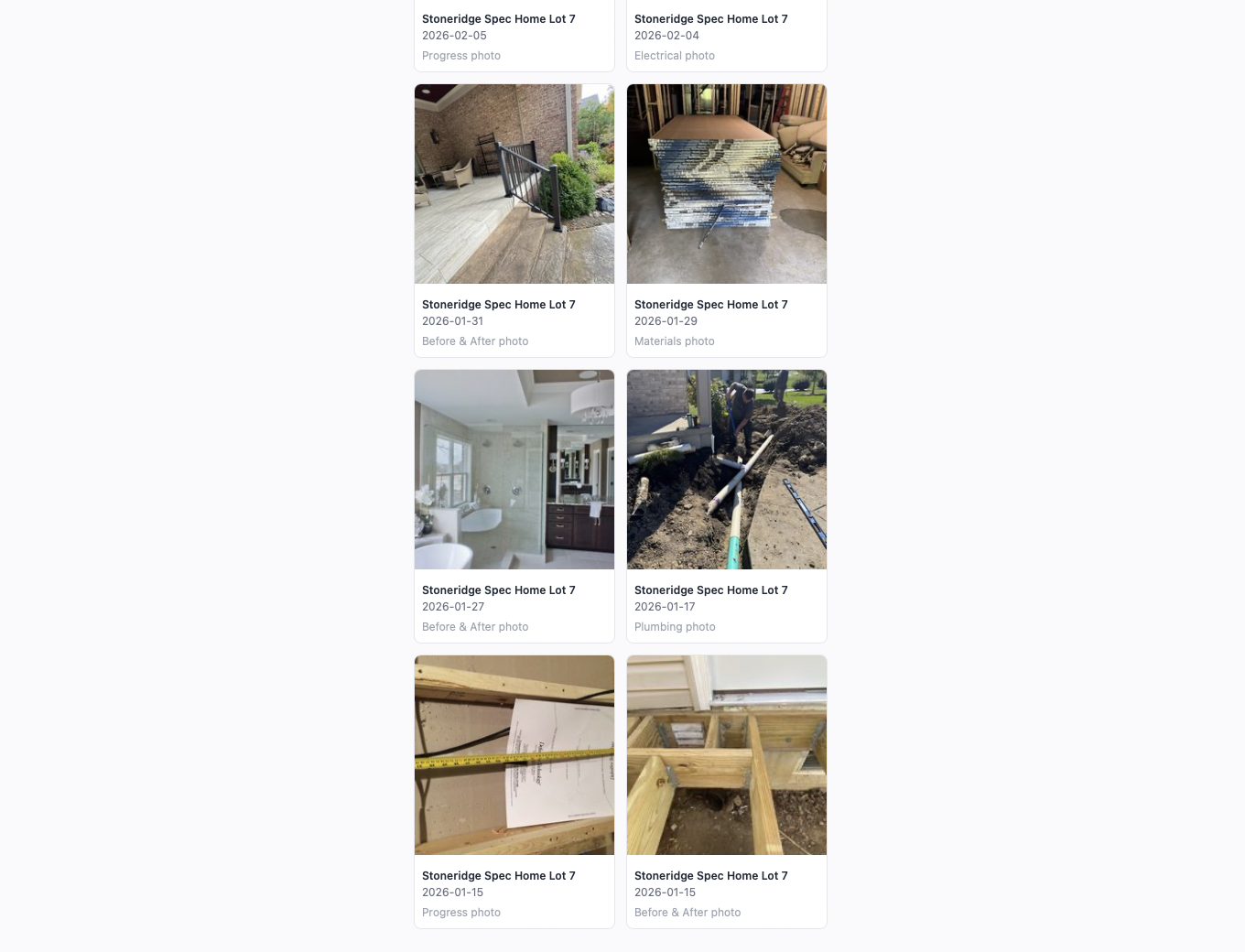
Job Photos
AI sorts photos into 25+ categories, geotags them, and generates one-click jobsite PDFs for documentation or disputes.
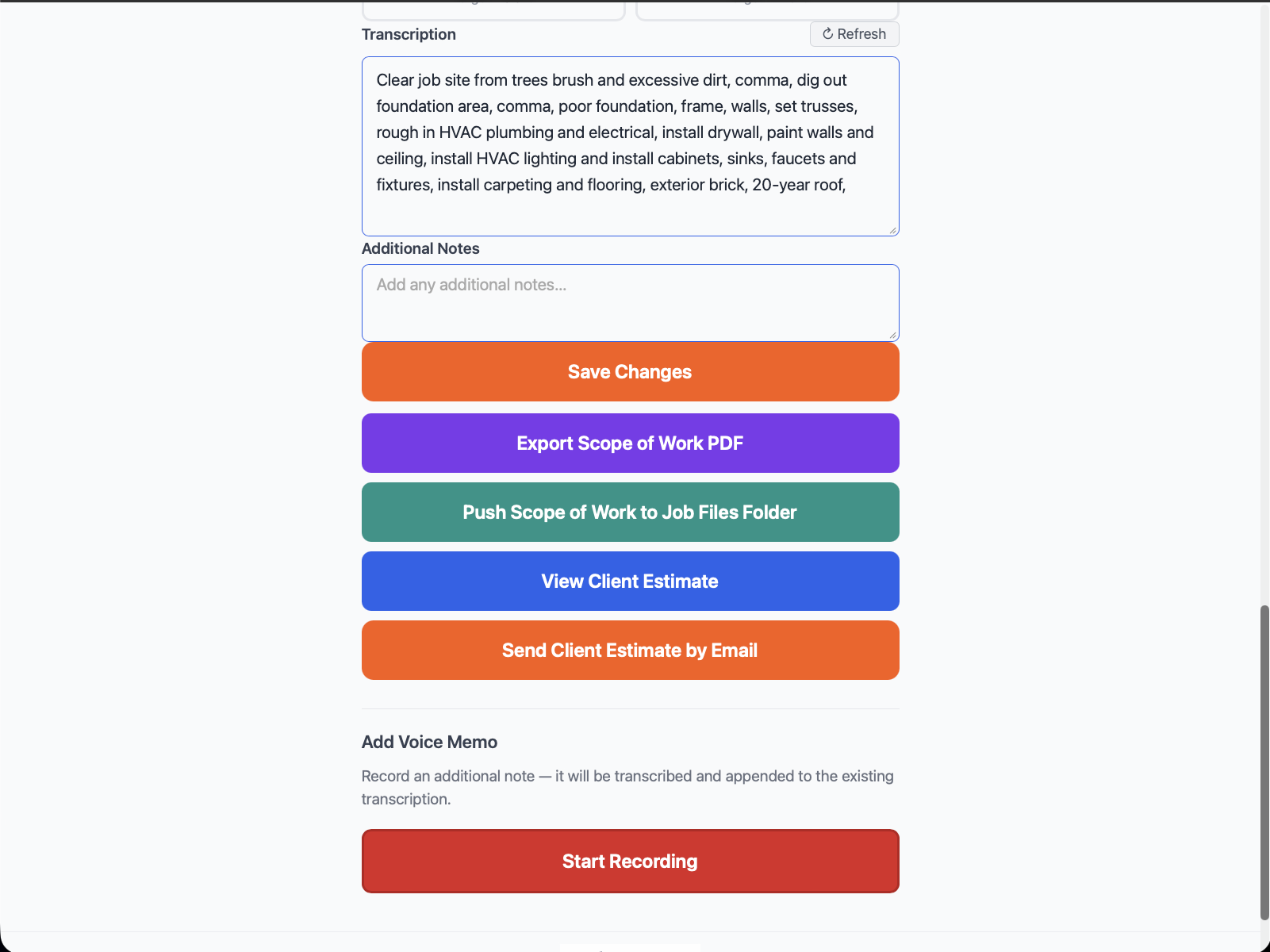
Field Estimating
Voice-to-estimate: speak the scope on-site, and AI builds priced line items. Send a quote before you leave the driveway.
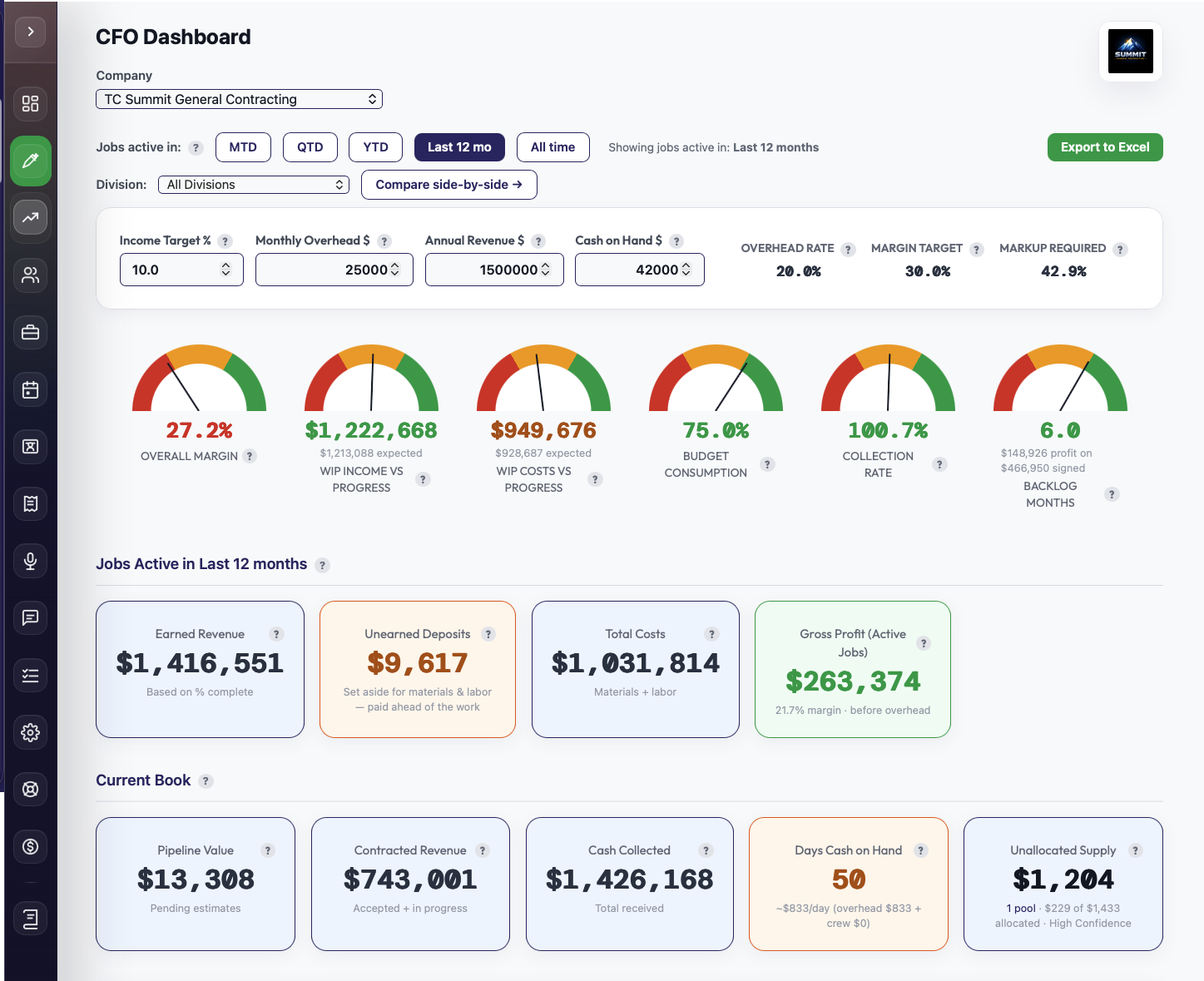
CFO Dashboard
Live KPIs, red/yellow/green health gauges, and per-job profitability. See how your business is doing right now — not last month.
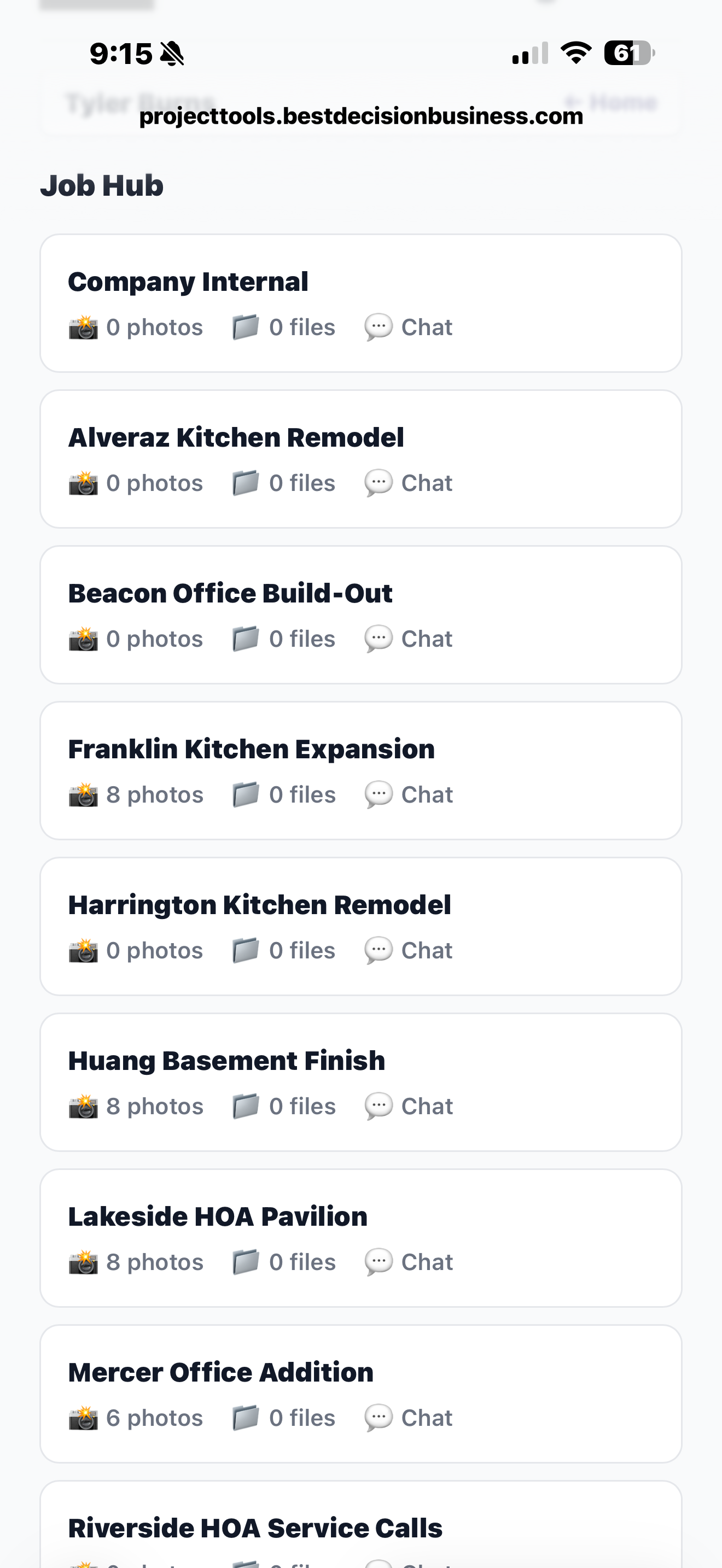
Chat & Job Hub
Every job gets its own channel — automatically. Photos, receipts, estimates, and schedule changes post themselves, and every message translates into each crew member's language in real time.
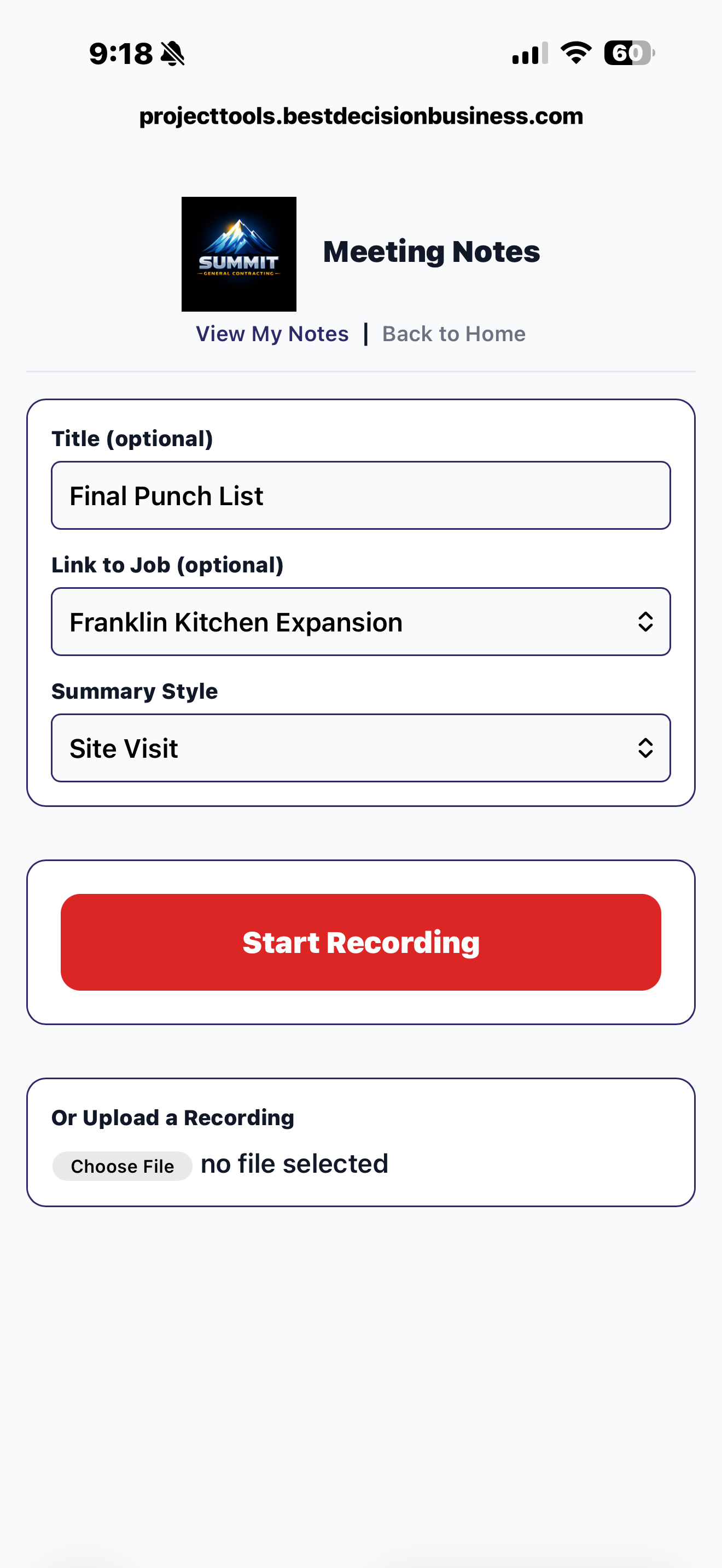
Meeting Notes
Record any meeting. AI transcribes it, summarizes it, and pulls out the action items — saved to the job it belongs to and dropped onto the crew's task list.
Field to financials in three steps.
Your crew uses the tools
Clock in, snap receipts, log job photos — all from a phone browser. Takes seconds, not minutes.
Data syncs to QuickBooks
Two-way sync pushes time, expenses, and job data into your chart of accounts automatically. No manual entry.
Your books stay current
BDB reconciles everything monthly. You get clean books, real-time job costs, and reports you can actually use to make decisions.
Built for the office, too.
The eight field tools are just the start. Project Tools also runs your invoicing, payments, cost allocation, and financial reporting — all feeding the same QuickBooks Online account.
Cost Pools
Buy concrete, mulch, or fuel once, then split that single purchase across every job that used it — by hours, quantity, estimate value, or equal share. No other field tool does this.
Segment Performance
Tag jobs by location, division, or service line and see revenue, cost, and margin side-by-side for each business unit — with one-click Excel export.
Subcontractor Cost Tracking
Materials, Labor, and Subs as three separate buckets on every estimate, invoice, and dashboard tile. Subs never get buried in "other costs" again.
Recurring Invoices & Auto-Charge
Set up a recurring invoice once. It sends, charges the card, records the payment, and syncs to QuickBooks. Pause or resume anytime.
Communication Templates + AI Writer
Control the wording customers see on estimate and invoice emails, PDF footers, and the approval page. An AI writer drafts templates in your voice.
Stripe Payments
Accept card and ACH payments with a QR code right on the invoice. Every payment and processing fee syncs to QuickBooks.
Full QuickBooks Online Sync
Estimates, invoices, customers, expenses, and items all push to QBO — a true two-way sync, not a one-way invoice feed. The deepest field-to-books integration available.
Email Receipt Ingestion
Forward a vendor's emailed receipt and AI reads it, categorizes it, and assigns it to the job — no manual entry, no lost paper.
Marketing Effectiveness
Track cost per lead, conversion rate, and ROI by source so you know which ads bring in profitable jobs — not just phone calls.
Push Notifications
Clock-out reminders, schedule changes, and job assignments hit your crew's phone instantly — web push, no app install required.
13-Week Cash Flow Forecast
A live runway projection pulling bank balances, AR/AP aging, and upcoming invoices into a green/yellow/red cash banner — so you see a crunch before it hits.
Most field tools don't talk to your books. Ours were built for them.
Other contractors pay for a time-tracking app, a receipt scanner, a scheduler, an estimating tool, and an invoicing system — a stack of apps that never share data. Project Tools replaces the whole stack, and the bookkeeper is us.
Built for contractors and service businesses.
- ✓ General contractors running multiple crews
- ✓ HVAC, plumbing, and electrical companies
- ✓ Landscaping and outdoor services
- ✓ Painting, flooring, and remodeling crews
- ✓ Cleaning and janitorial services
- ✓ Property maintenance companies
- ✓ Roofing and siding contractors
- ✓ Any field service business with 2+ employees
Project Tools FAQ
What is Best Decision Project Tools?
Best Decision Project Tools is a suite of eight browser-based tools included free with every BDB bookkeeping plan. Field tools (time tracking, receipt capture, scheduling, job photos, estimating) and office tools (job chat, AI meeting notes, invoicing, and a live CFO dashboard) all feed timesheets, receipts, estimates, and job costs directly into your QuickBooks Online account — no app store downloads, no separate subscriptions.
Do I need to download an app to use Project Tools?
No. Project Tools runs in your phone's web browser. No app store, no installs, no updates. Your crew opens a link and starts tracking.
How does Project Tools connect to my bookkeeping?
Project Tools has a two-way sync with QuickBooks Online. Time entries, receipts, and job costs flow directly into your chart of accounts. BDB reconciles everything monthly so your books stay current.
Is Project Tools included free or is there an extra charge?
Project Tools is included free with every BDB bookkeeping plan — from Basic Business at $195/month through Fractional CFO at $1,500/month. No extra subscription, no per-user fees for up to 20 users.
What types of businesses use Project Tools?
Project Tools is built for contractors and field service businesses — general contractors, HVAC, plumbing, electrical, landscaping, painting, roofing, cleaning, and property maintenance companies with 2 or more employees.
Stop paying extra for field tools that never reach your books.
Book a free 30-minute call. We'll show you how Project Tools works with your specific trade and workflow.